The problem
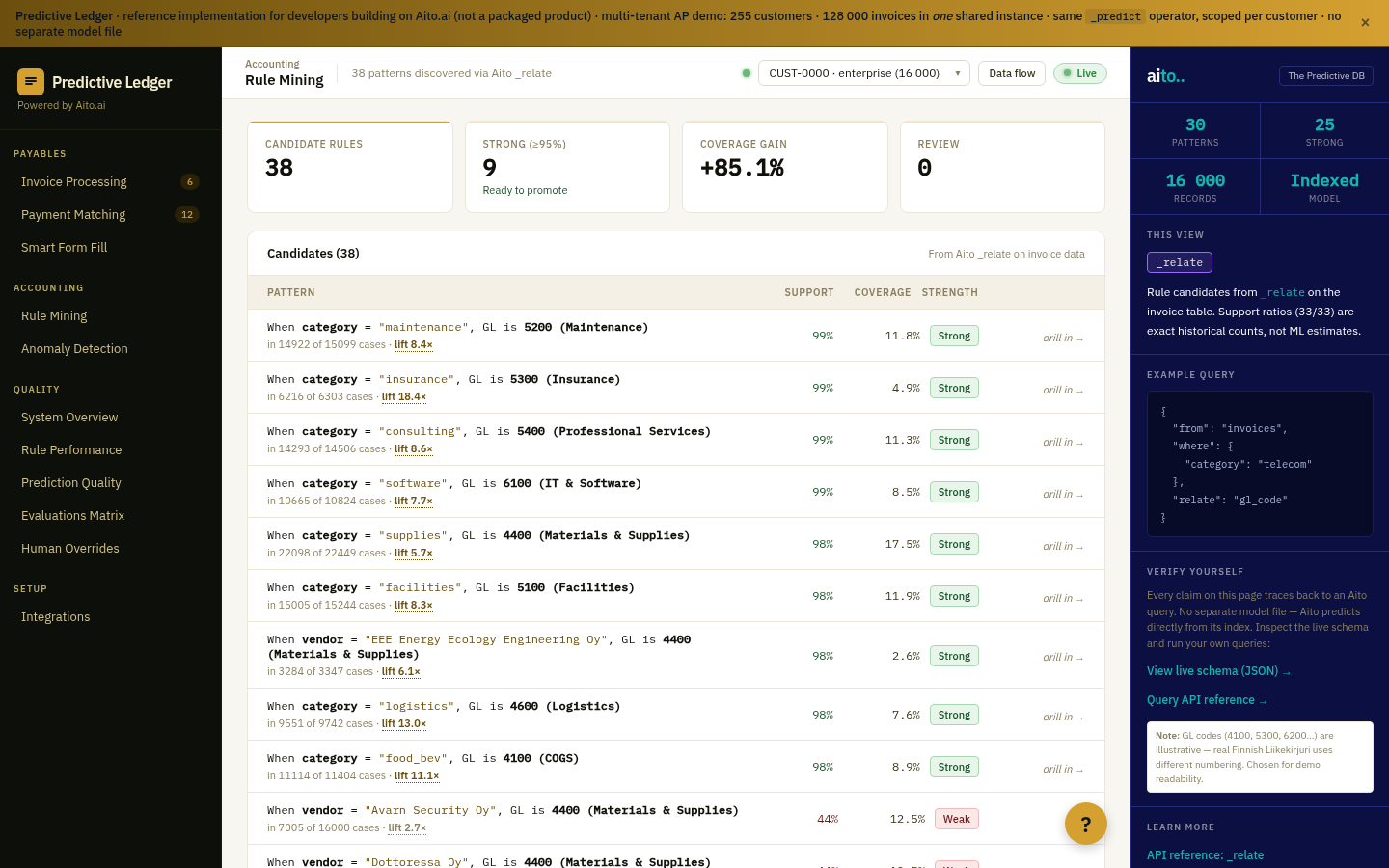
Patterns hide in operational data in two forms: statistically discoverable (you can find them by running an analysis) and predictive (you can use them to predict the next event). Most BI tools surface the first kind — show me which categories co-occur, which customer segments correlate, which products are bought together. Few tools surface the second kind cleanly, because that requires a predictive operator running over the same data.
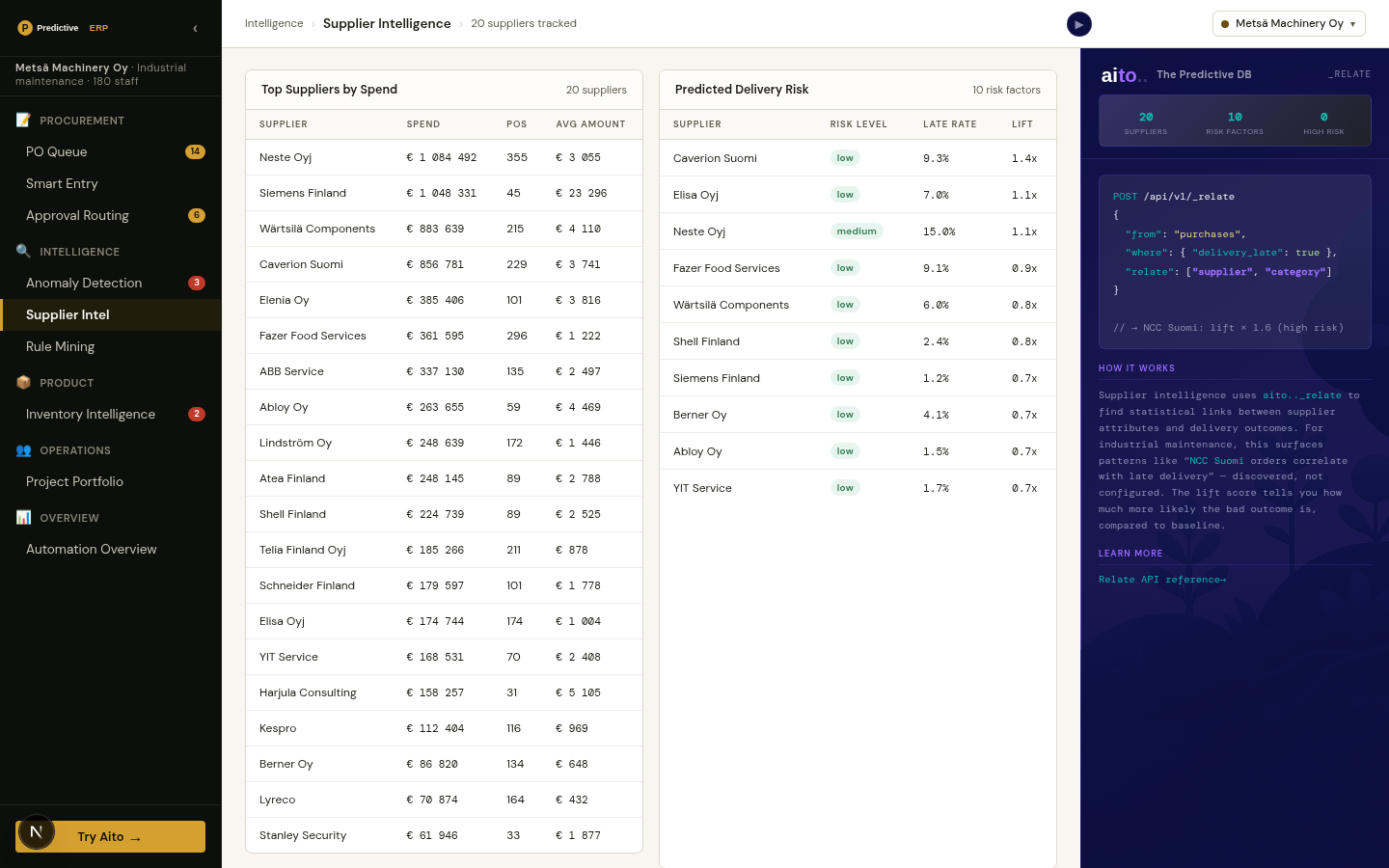
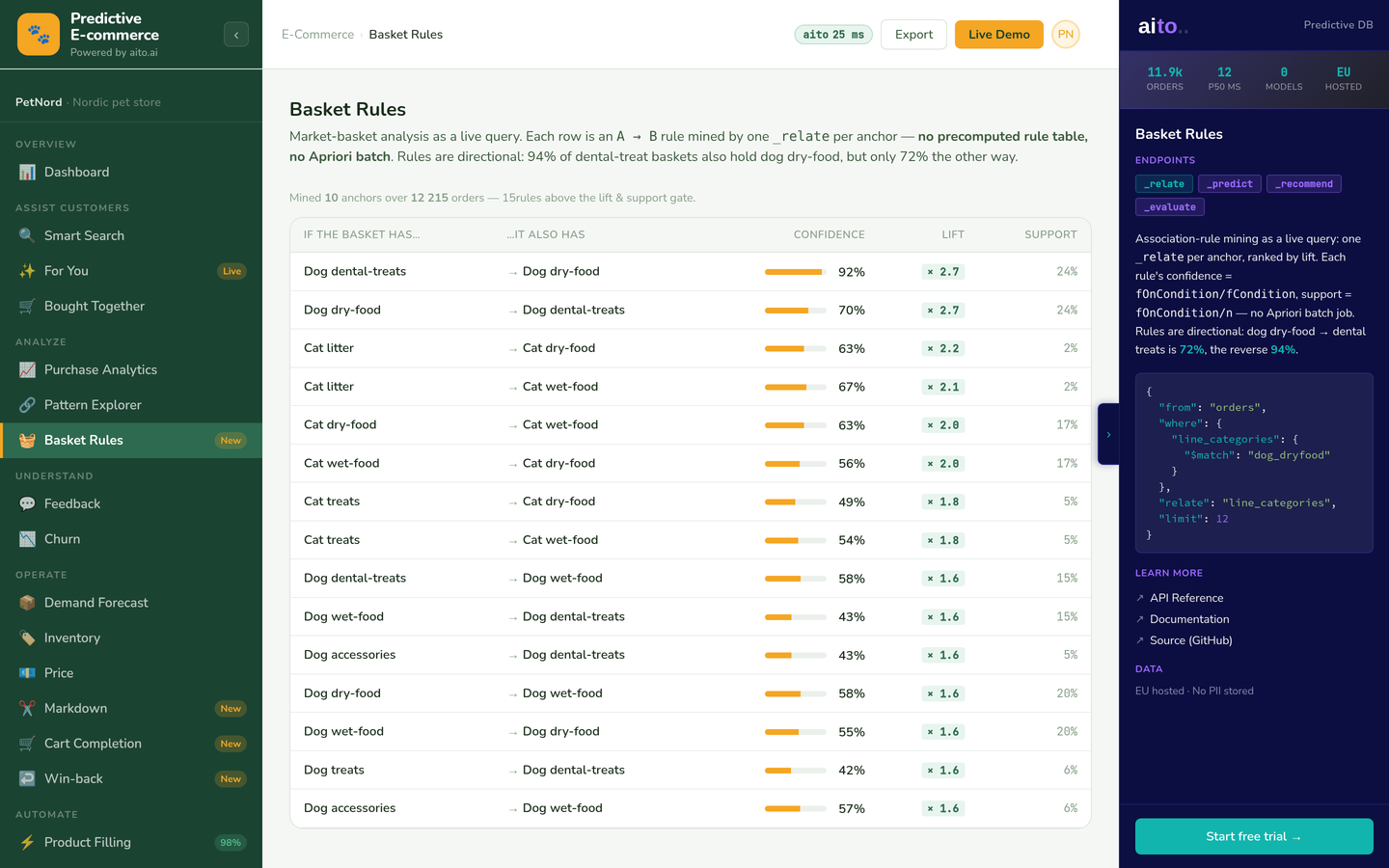
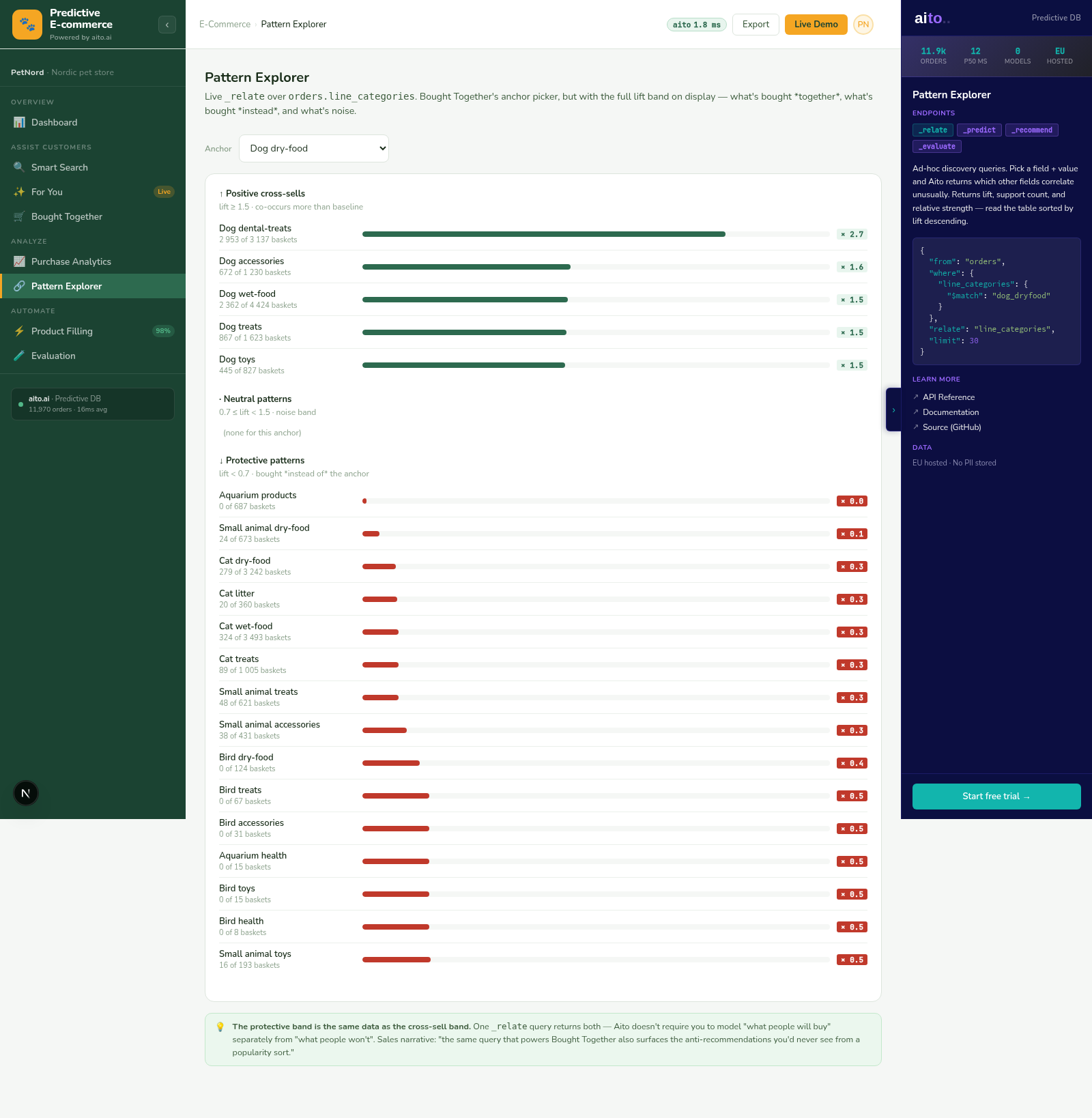
The Pattern Explorer view in the e-commerce demo surfaces both at once. For any anchor product category, the system returns the related categories ranked by lift: which products are bought together, and how strongly. The same query extends to customer segments or time windows as anchors in a deployment.
How it works
_relate runs the conditional probability between any two attributes. The pattern-explorer query asks "for anchor X, what are the top-N related attributes Y ranked by lift?" The result is ordered by statistical significance, filtered by minimum support, and decorated with $why so the user can see the underlying counts. Lift of 5× and above is the typical "worth a look" threshold; lift of 10× and above is usually a real pattern.
The exploration is interactive. Pick a pattern that looks promising, drill in to see the underlying observations, then either promote it to a rule (drops to the Rule Mining workflow), use it as a recommendation seed, or save it as a tracked metric. Every action records an audit trail so the pattern's origin is recoverable later.
{
  "from": "order_lines",
  "where": {
    "product.category": "dog-dryfood",
    "$lift": { "$gte": 2 }
  },
  "relate": "product.category",
  "select": ["$lift", "$p", "$support", "product.category"],
  "limit": 15
}
For the full architecture, see the technology overview. For the broader narrative across multiple use cases, read The Predictive Application.
See it live
This use case runs in the 🛒 E-commerce demo today. Click through to the live application and inspect the queries that produce the result.
Frequently asked
How is this different from a typical analytics dashboard?
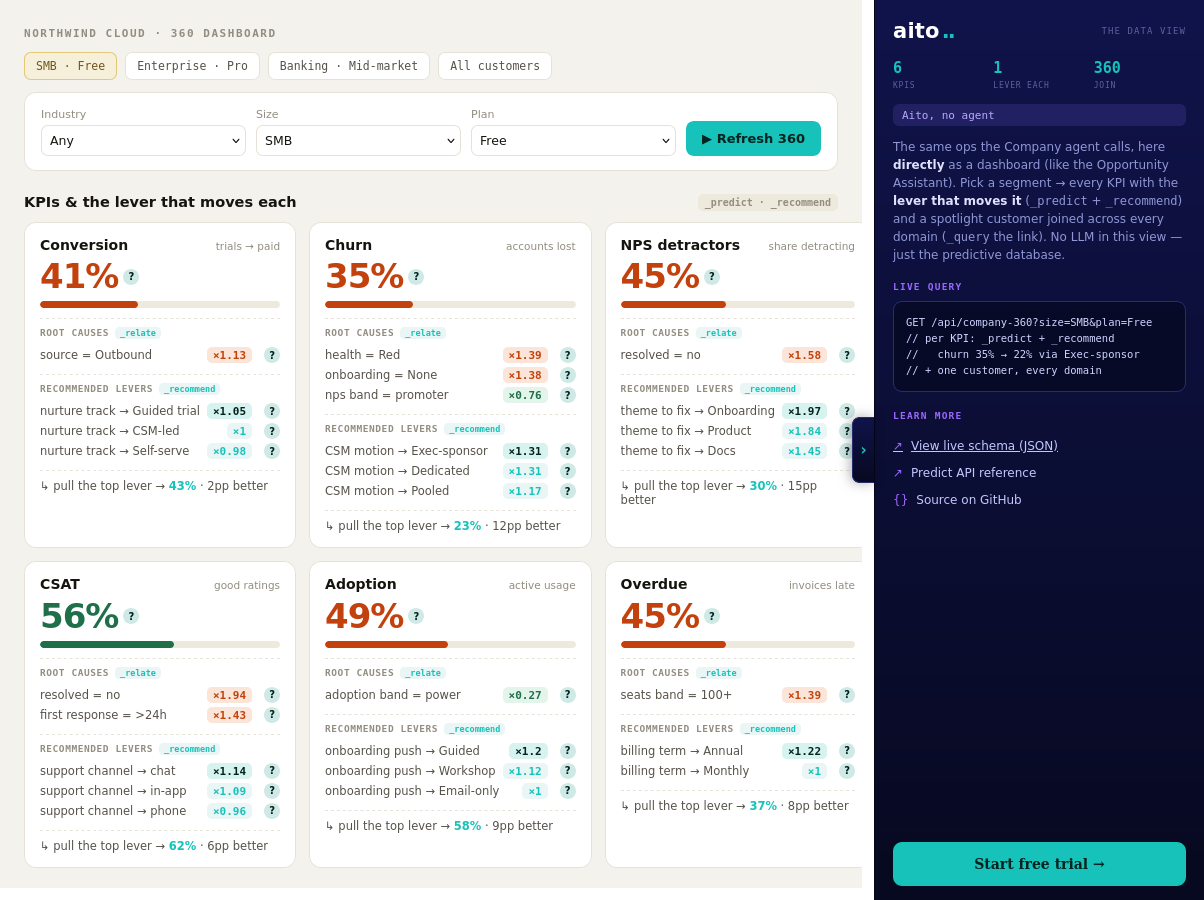
Analytics dashboards show pre-aggregated metrics — total sales, churn rate, average order value. Pattern Explorer surfaces the conditional relationships in the data — which attributes correlate, which segments behave differently, which combinations co-occur. Dashboards answer "what happened?"; Pattern Explorer answers "what patterns exist that I have not named yet?"
Does this surface causation or just correlation?
Correlation, ranked by statistical significance (lift × support). The system does not claim causation; it surfaces patterns worth investigating. The user (or downstream causal analysis) determines whether a pattern reflects causation or some other mechanism. For most operational questions ("are these patterns real and stable enough to act on?"), correlation at high lift × high support is what matters.
How do we avoid information overload from many patterns?
Three filters do the work: minimum lift (typically 3-5×), minimum support (typically 20+ observations), and a relevance ranking. The top-20 patterns surfaced at lift ≥ 5 and support ≥ 20 is usually a manageable list. Filtering tighter (lift ≥ 10) gives a high-confidence shortlist for action; filtering looser (lift ≥ 2) shows a broader exploration view.
Can the patterns be exported to other tools (Tableau, Looker)?
Yes — the _relate query returns JSON; the result is exportable to any analytics tool that accepts JSON. The typical pattern is: Pattern Explorer surfaces the discovery; the team picks a pattern to track; the metric goes into the BI dashboard for ongoing monitoring. Aito stays in the discovery role; the BI tool handles the dashboard.
What is the difference between Pattern Explorer and Rule Mining?
Pattern Explorer is the discovery surface — wide, exploratory, no expected action. Rule Mining is the workflow that turns discovered patterns into authored rules — focused, decision-oriented, with promote/dismiss/override actions. The two share the same underlying _relate operator; they differ in the UI and the workflow on top.