The problem
Most enterprise forms ask the user the same questions in the same order on every row. Invoice processing, expense filing, ticket triage, journal entries — the user fills in one or two fields and then mechanically picks from menus for the rest. The mechanical part is the load-bearing pain. It is not creative work and it is not judgment; it is the user manually doing what the system could do from the surrounding fields.
The system can do it because the fields are correlated. Pick the vendor, the cost center is determined 92% of the time. Pick the cost center, the approver is determined 88% of the time. Pick the project, the GL code shifts by category. The conditional structure is dense and stable on operational data. The form should be filling itself; the user should be confirming or overriding.
How it works
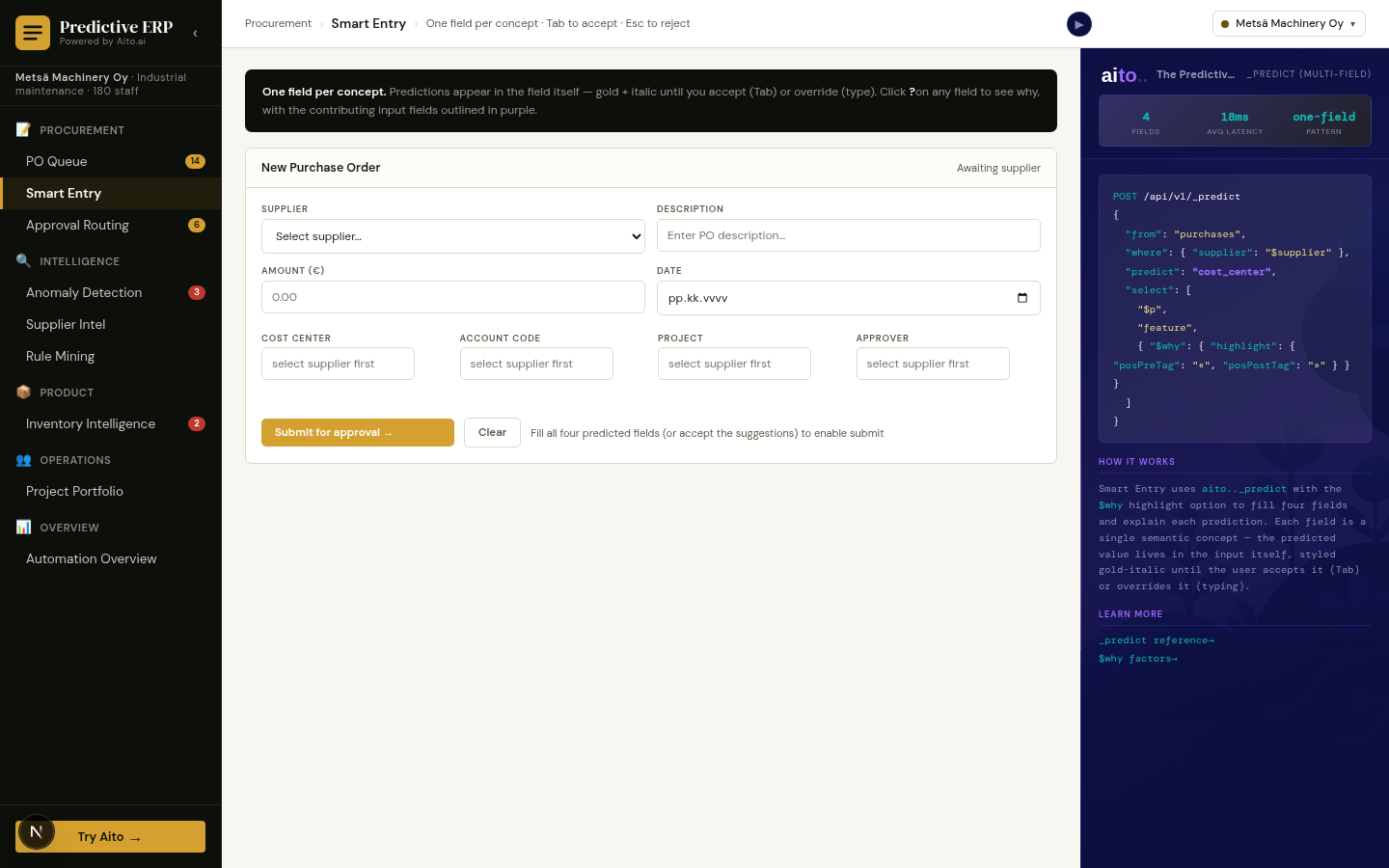
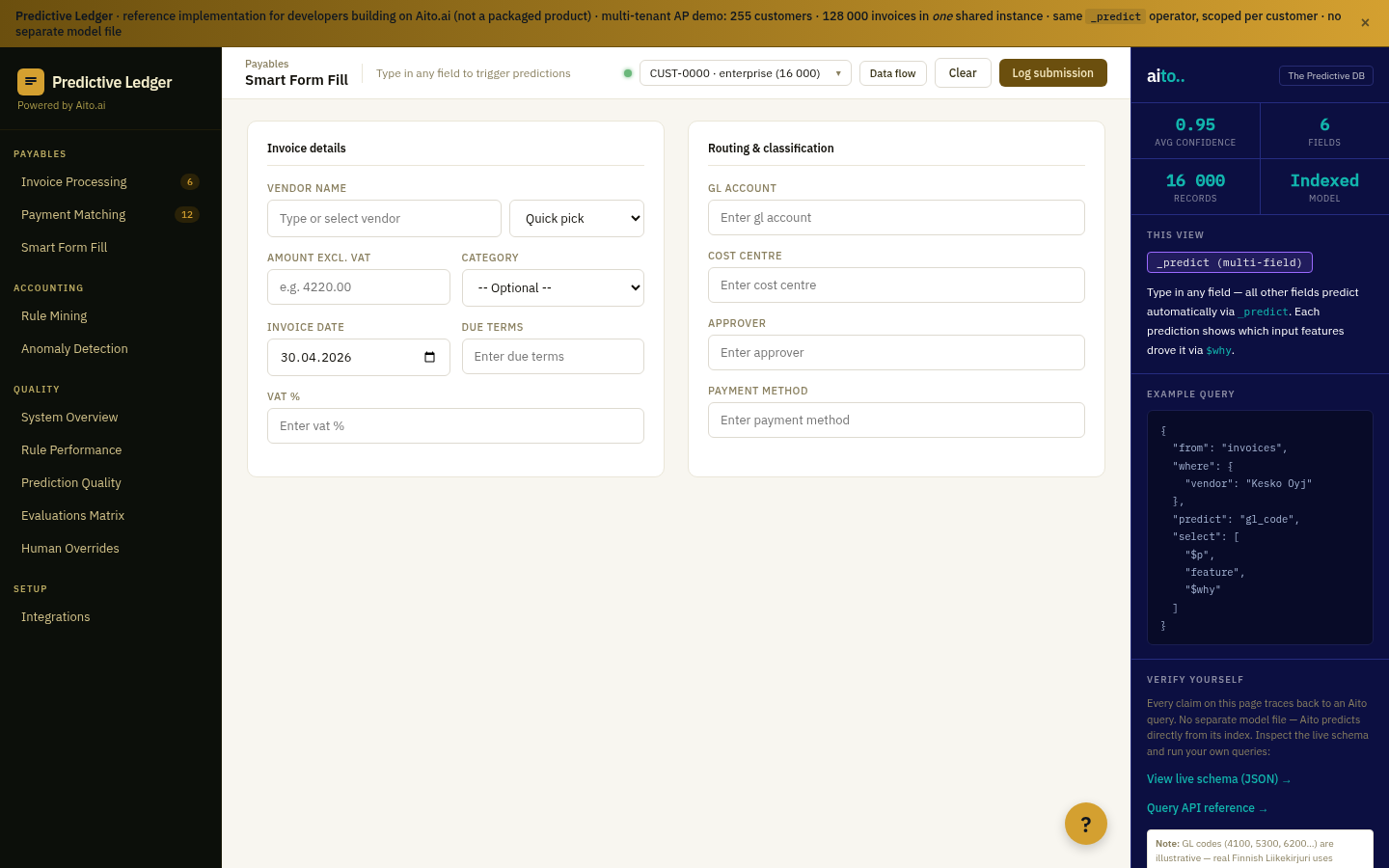
Smart Form Fill wires _predict into the form UI itself. When the user enters any one field, the form queries Aito with that field as the input and the remaining fields as the prediction targets — all in parallel, returning sub-100ms. Predicted fields render as suggestions in the empty inputs; the user tabs to accept (or Esc to reject) per field. Every prediction returns a calibrated probability, so the form can color-code high-confidence suggestions differently from speculative ones.
The user goes from "fill seven fields per row" to "confirm seven predictions per row." The cognitive load on the predictable fields collapses; the user's attention concentrates on the truly novel parts of the row.
{
  "from": "invoices",
  "where": { "vendor": "Telia Finland Oyj" },
  "predict": ["gl_code", "approver", "cost_center", "vat_pct"],
  "select": ["$p", "$why"],
  "limit": 1
}
For the full architecture, see the technology overview. For the broader narrative across multiple use cases, read The Predictive Application.
See it live
This use case runs in the 🧾 Accounting demo today. Click through to the live application and inspect the queries that produce the result.
Frequently asked
Why predict all the remaining fields in parallel rather than one at a time?
Conditional probabilities can move in unexpected ways once you reveal a second field. Predicting all the remaining fields simultaneously from the one input gives the cleanest view of what the system thinks each field should be. The user gets seven coherent predictions, not seven independently-decided picks that might disagree.
What happens when the user overrides a predicted field?
The override is the next prediction's input. If the user changes the cost center on one row, the next row's prediction of cost center reflects that change in the same query. Override-as-training is automatic — no retraining step.
Does this only work for invoices, or also for tickets, expenses, journal entries?
Any form with correlated columns. The pattern is "predict the remaining fields conditional on the input fields," which applies anywhere a form has more than one field that depends on the others. Ticket-routing forms, journal-entry forms, HR-onboarding forms run on the same pattern.
What if the predictions disagree with the user's intent?
The user always has the final word. Predicted suggestions render as soft fills; they only take effect when the user accepts. Below the auto-accept confidence threshold, the suggestion appears as a hint, not as a value — the field stays empty unless confirmed.
How does this compare to LLM-based form filling?
LLM-generated form values are non-deterministic and uncalibrated. The same form filled twice can return different values; the LLM's "85% confident" claim has weak correlation with actual accuracy. Smart Form Fill via a predictive database is deterministic (same input, same prediction), calibrated (95% confidence means ~95% accuracy at that confidence level), and cheap per call.