The problem
ERP data-entry forms are the most repetitive UI in the modern enterprise. Every row asks for the same eight fields; the user fills in two and the rest follow by historical pattern. Multiplied across the thousands of rows a clerk enters per month, the effort cost is enormous and the error rate is non-zero — every misclick produces downstream cleanup.
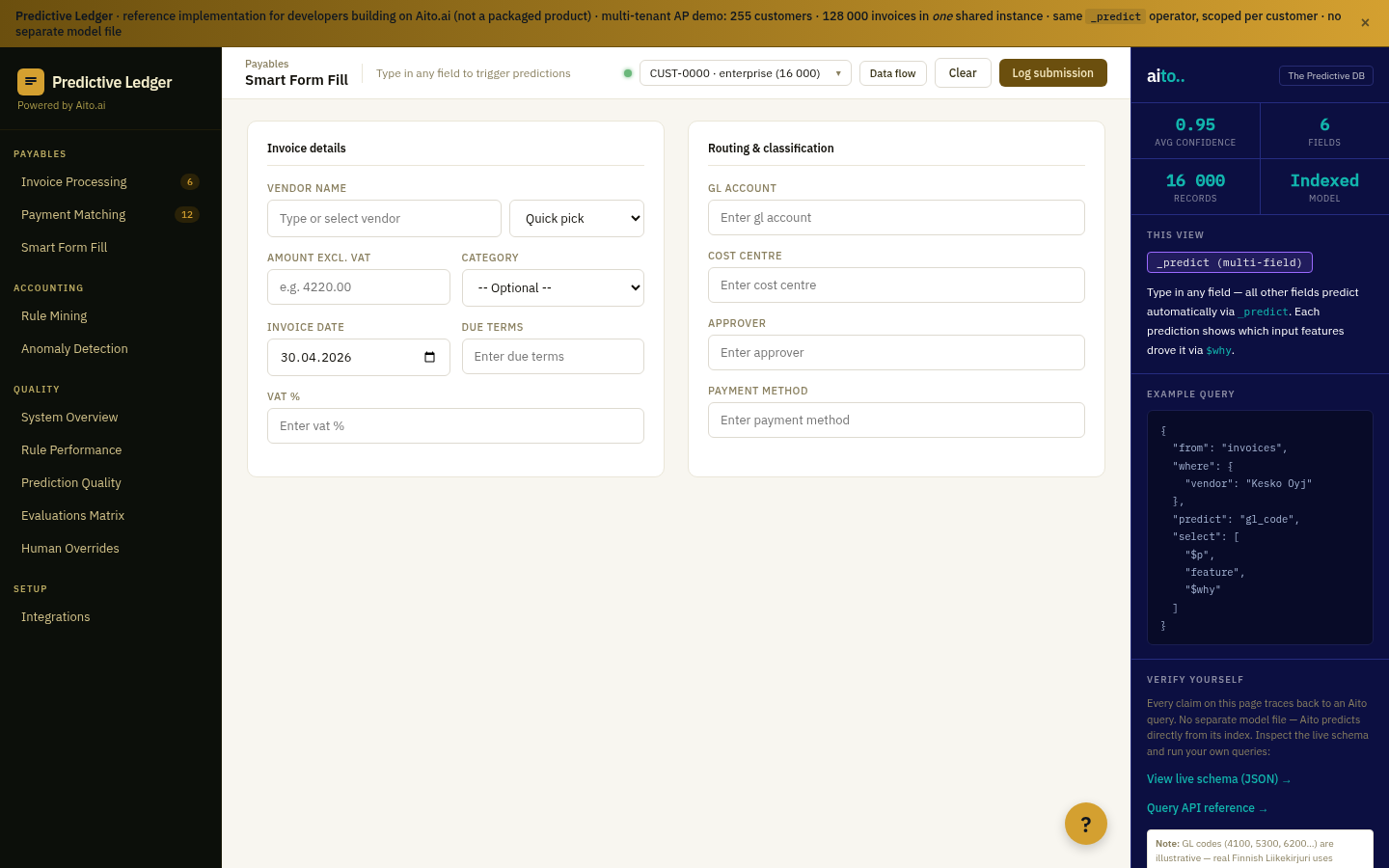
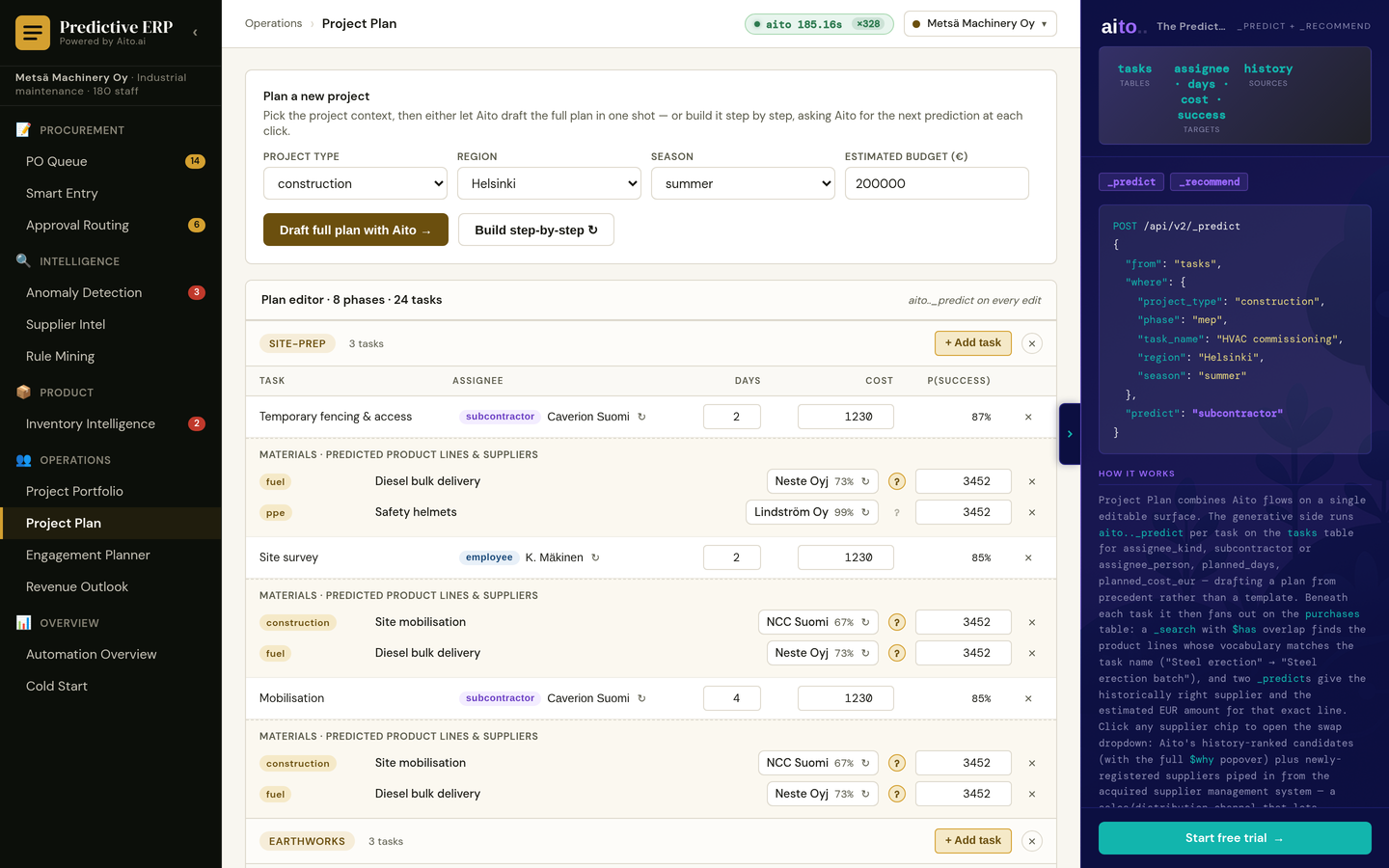
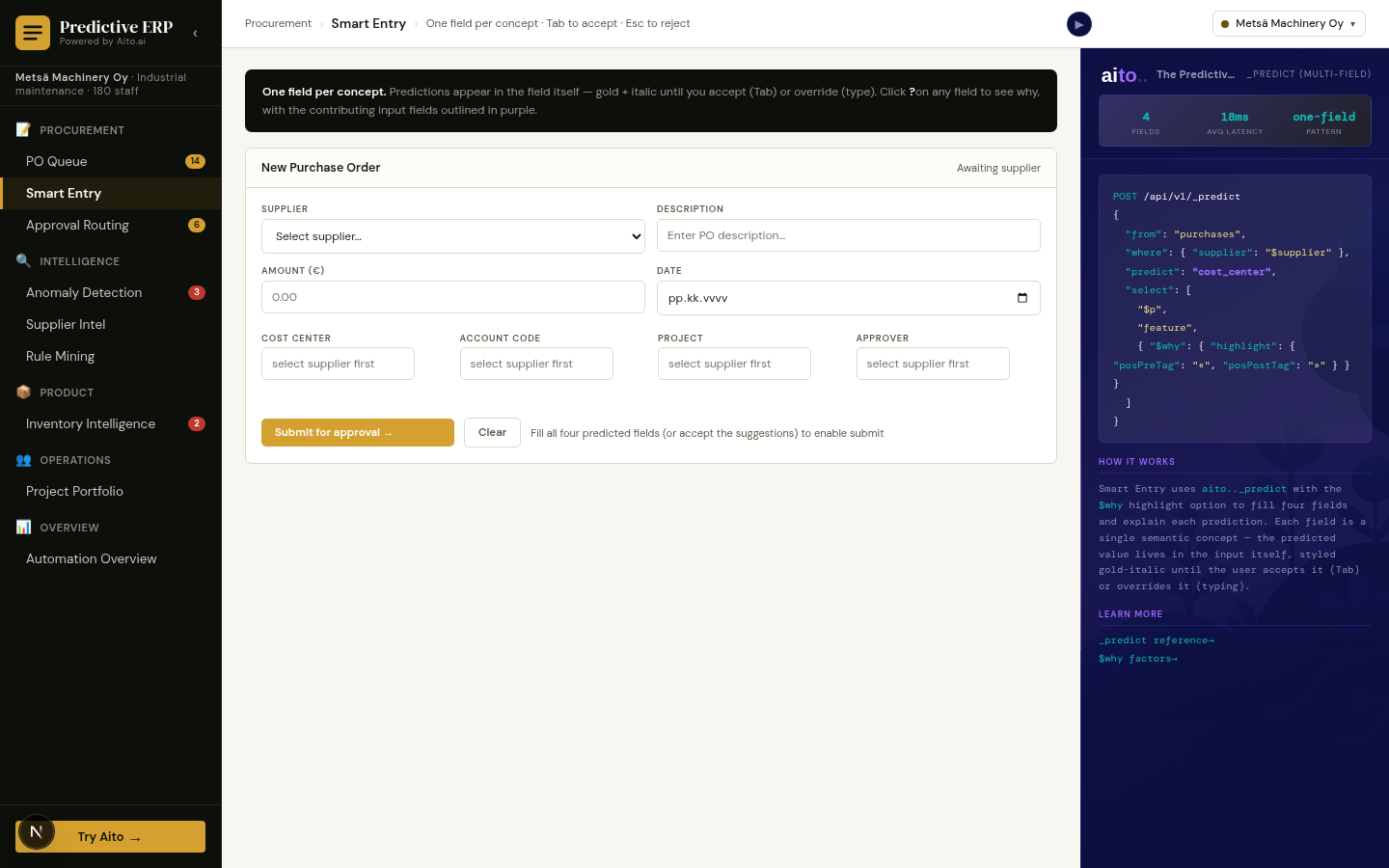
Smart Entry inverts the flow. The user picks ONE field (usually the supplier or the project); the system predicts the rest in parallel and pre-fills the form. The user reviews, tabs to accept, or hits Esc to override. The cognitive load on the predictable fields collapses; the user's attention goes to the truly novel parts of the row.
How it works
Smart Entry is a multi-target _predict query wired into the form UI itself. When the user enters the supplier (or any anchor field), the form fires a single query: predict the remaining fields conditional on the anchor. Sub-100ms response; the predicted values render as soft fills in the empty inputs.
Each predicted field has its own confidence. High-confidence fields render with a stronger visual treatment; mid-confidence as hints; low-confidence stays empty for manual entry. The user tabs through to accept (or override per field). Every override flows back to the index immediately, so the next row's prediction reflects the correction.
{
  "from": "purchase_orders",
  "where": {
    "supplier": "Acme Supply Oy"
  },
  "predict": ["cost_center", "account_code", "project", "approver"],
  "select": ["$p", "$why"],
  "limit": 1
}
For the full architecture, see the technology overview. For the broader narrative across multiple use cases, read The Predictive Application.
See it live
This use case runs in the 📋 ERP demo today. Click through to the live application and inspect the queries that produce the result.
Frequently asked
How is Smart Entry different from Smart Form Fill?
Smart Form Fill is the general pattern; Smart Entry is the ERP-specific instance wired into purchase-order entry. Same underlying _predict on multi-target fields; same UX of tab-to-accept. Smart Entry uses ERP-specific fields (supplier, cost_center, project, approver) by convention.
How does the form handle the case where the supplier is new?
New supplier returns low confidence on all predicted fields. The form keeps the fields empty rather than guessing; the user fills them manually. The entry flows back as the new supplier's first observation; the next row from that supplier will have higher confidence as more data accumulates.
Can users disable Smart Entry per field or per form?
Yes. Application-level toggle. Most deployments enable Smart Entry for high-confidence fields and leave low-stakes fields manual. The user-level toggle lets individual clerks turn it off if they prefer.
Does this slow down the form (sub-100ms response)?
Smart Entry runs in parallel with the user's typing on the anchor field. By the time the user tabs out of the anchor, the prediction is back. Sub-100ms is the production latency target; in practice the user perceives Smart Entry as instant.
How does Smart Entry interact with copy-paste from spreadsheets?
Paste fills the anchor fields; Smart Entry runs the prediction once paste completes. The user reviews the full row of predicted values rather than per-field. Bulk paste with smart-entry post-processing is a common workflow for monthly entry batches.