The problem
Customer reviews arrive as free text and pile up in a queue. Someone has to read each one to decide what it is about, how upset the customer is, and who should handle it.
How it works
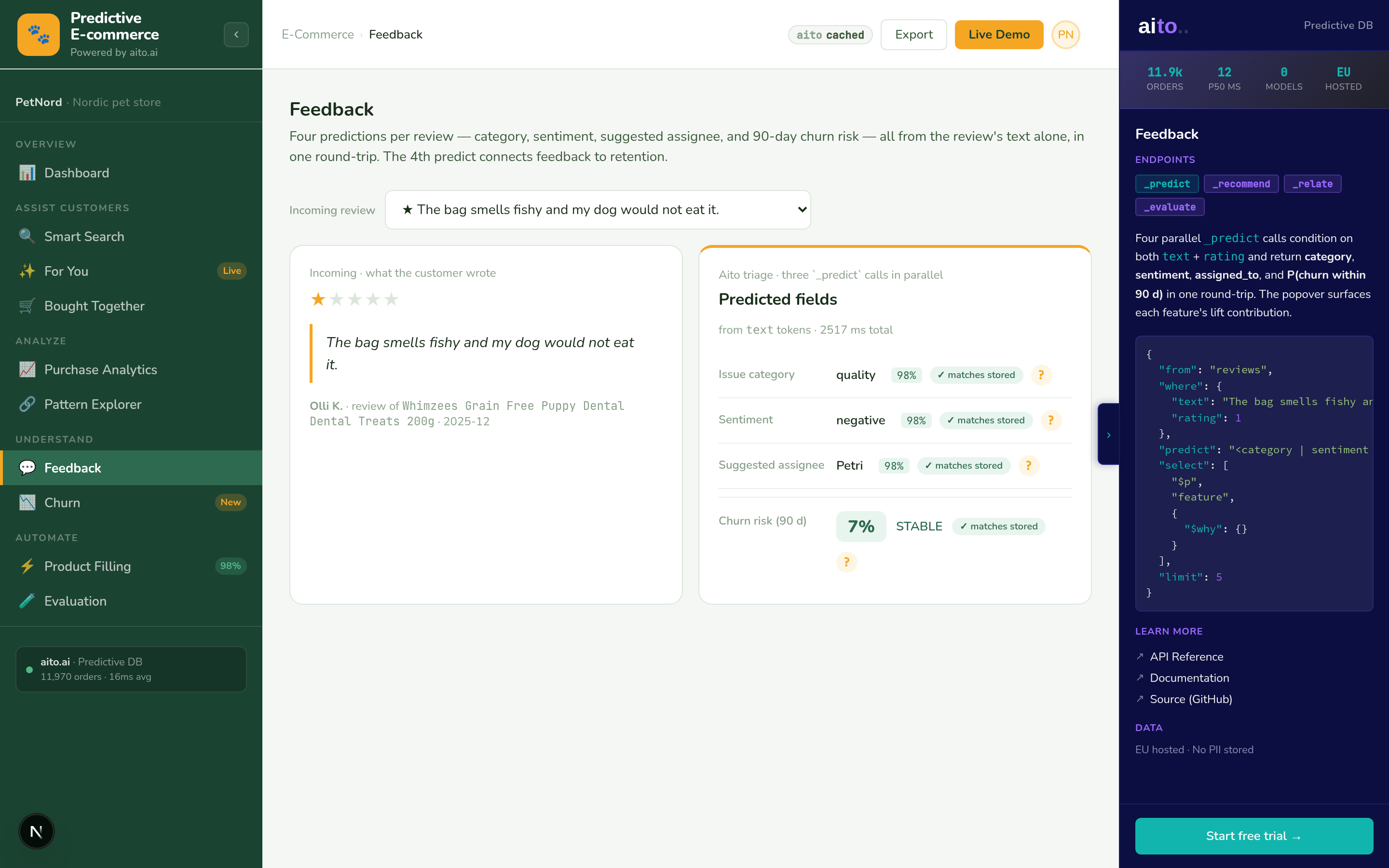
The review's text and star rating go into the where clause of three _predict calls that run in parallel: category, sentiment, and assignee. Each returns its top value with confidence, alternatives, and $why, so the reviewer sees which words carried the prediction.
Whether the customer is about to leave is not read from the review text. The demo's Retention view answers that from the order history, and counts a 1–2 star review among the tells that came before customers stopped ordering.
For the full architecture, see the technology overview. For the broader narrative across multiple use cases, read The Predictive Application. For the whole picture, see predictive e-commerce.
See it live
This use case runs in the 🛒 E-commerce demo today. Click through to the live application and inspect the queries that produce the result.
Build it with Claude Code
Paste this prompt into Claude Code, or another coding agent, in your own codebase. It runs Aito locally from the Docker image, reads the API docs written for agents, and follows a working reference implementation.
Add feedback triage to this codebase using Aito, a predictive database. The feature: predict the issue category, sentiment and assignee of each incoming customer review from its text and rating, from our handled reviews.

1. Run Aito locally: `docker pull ghcr.io/aitohq/aito`, then follow https://aito.ai/docker/ to start it with your own API keys (keep them in the environment, never in code).
2. Read https://aito.ai/docs/api/llms.txt for the v2 query shapes before writing any query.
3. Read the use-case guide: https://aito.ai/use-cases/feedback-triage/
4. Use this reference implementation as the pattern (schema, data load and queries): https://github.com/AitoDotAI/aito-ecommerce-demo/blob/main/src/review_triage_service.py and https://github.com/AitoDotAI/aito-ecommerce-demo/blob/main/src/schema.py
5. Find the matching tables in this codebase, design the Aito schema for them (links between tables where we have foreign keys), and load a sample.
6. Measure before wiring the UI: hold out recent rows, run the predictions, and report accuracy against the current behaviour.
7. In the UI, show the confidence ($p) and the reasons ($why). Fill in automatically only above a threshold I choose; below it, suggest.

Ask me before changing anything outside the new feature.